Table of Contents
You’ve done the UWorld grind. You’ve memorized First Aid. But the thing that ruins most well-prepared students on test day isn’t the content — it’s burnout. And it’s not the dramatic kind where you freeze up and go blank. It’s the slow kind. The kind where Block 6 feels like you’re reading through fog and you start second-guessing answers you would have gotten right in week one of dedicated.
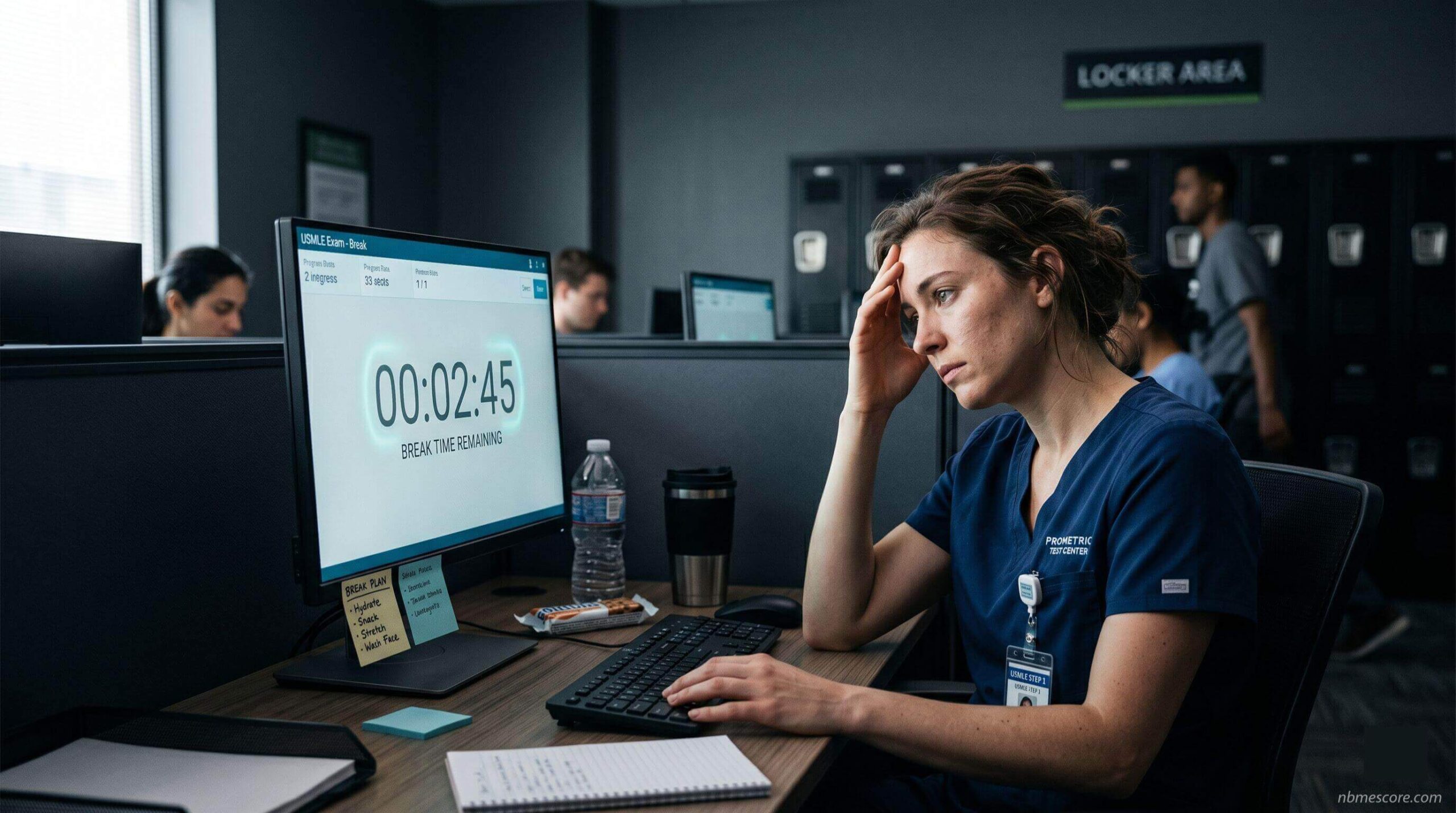
Step 1 is an 8-hour exam. Step 2 CK is 9 hours. Prometric gives you 45 minutes of total break time to manage that entire stretch. If you don’t map out exactly how to spend those minutes — and more importantly, understand why certain breaks matter more than others — you will hit a wall you didn’t see coming.
This is the guide that actually explains both.
The Break Time Hack: Turn 45 Minutes Into 60
There is a 15-minute software tutorial at the beginning of every USMLE exam. If you have done the Free 120 at home even once, you already know how to highlight text, strike through answer choices, and navigate between questions. You do not need the tutorial.
Skip it immediately when the exam starts. Those 15 minutes transfer directly into your break bank, giving you 60 minutes to work with for the day instead of 45.
This is the single highest-return action you can take before Block 1 begins, and it costs you nothing.
What Actually Happens Every Time You Leave the Room
Most break strategy articles tell you breaks cost “2 to 4 minutes” for security. That’s accurate on average — but no article tells you exactly what those minutes involve, which means students hit Block 2’s break surprised, flustered, and already behind schedule.
Here is the exact sequence, every single time you leave and return:
Leaving the room: Click “Take a Break” on your screen — this starts the break timer. Raise your hand and wait for the TCA (Test Center Administrator) to acknowledge you. Sign out of the log, or wait while the TCA notes your time. Then you’re free to go to your locker.
Returning to the room: This is where the time goes. You must show your arms and ankles, empty your pockets, and remove your eyeglasses for visual inspection. A handheld metal detection device scans you. You present your valid government-issued ID — not just your locker key, your actual ID, which most students forget to keep on them. Fingerprint scan. Sign back in.
That sequence, at a busy center mid-morning, takes 3 to 4 minutes reliably. At a quiet center, maybe 2. Build 3 minutes into every break calculation. If you take 5 breaks and assumed 0 security time, you just lost 15 minutes you didn’t account for.
If you wear prescription glasses: Factor in an extra 20–30 seconds per return for the eyeglasses inspection. It’s quick, but it’s not instant, and it adds up across a full exam day.
The one rule most students don’t know: Official Prometric policy requires you to present valid ID every time you re-enter the testing room — not just at initial check-in. Your locker key is not your ID. Keep your ID on your person during every break.
The Water Rule Almost No One Knows About
Effective May 1, 2023, Prometric changed its policy. Still water is now permitted inside the testing room itself — you do not need to leave your seat to hydrate anymore.
The requirements: clear or transparent container, lid or cap present, all labels removed before you arrive. Staff will inspect the bottle and ask you to remove the lid for visual check before you enter. If your bottle doesn’t meet those specs, it goes in the locker and stays there.
What this means practically: bathroom breaks and hydration breaks are now separate decisions. Before this policy, every time you needed water you burned 3+ minutes of break time on security alone. Now you can keep a bottle at your station and sip between questions without it costing you anything.
Bring a clear, label-free bottle. Prepare it the night before. This is one of the few genuinely low-effort, high-impact things you can do before exam day.
Why Block 5 Is the Danger Zone — The Actual Science
Most break guides tell you when to rest. Almost none explain why the timing they’re recommending is based on something real. Here’s what’s actually happening in your brain during an 8-block exam.
Hours 1–2 (Blocks 1–2): Pre-exam adrenaline is working for you. Your prefrontal cortex — the region responsible for reasoning, planning, and clinical decision-making — is running on a full tank. This is when most students do their cleanest work. Riding this window by going back-to-back on Blocks 1 and 2 is smart, not reckless. The adrenaline is doing the heavy lifting.
Hours 3–5 (Blocks 3–5): Adrenaline flattens. What replaces it is real cognitive fatigue. A 2025 study published in the Journal of Neuroscience found that signals in the dorsolateral prefrontal cortex — a region that tracks cognitive exertion — influence effort valuation in the insula, making subsequent effortful decisions feel increasingly costly. The study examined physical effort-based choice, but the underlying circuit is the same one that governs cognitive effort decisions. The practical result in either case: you don’t stop knowing the right answer, but defending it against a tempting distractor starts to feel more expensive than it should. You begin second-guessing correct first instincts not because you’re wrong, but because changing your answer feels cheaper than thinking it through again.
Hours 6–7 (Blocks 6–7): This is where the “stupid mistakes” happen — the questions you would never miss on a practice block at home. These aren’t knowledge failures. They’re fatigue-driven pattern recognition breakdowns. Research on cognitive fatigability consistently shows time-related deterioration in working memory, sustained attention, and the ability to filter out irrelevant information. All three of those are exactly what Step 2 CK long vignettes demand of you.
What this means for your break strategy: The break between Blocks 5 and 6 — not the lunch break — is the most important recovery window on the entire exam. The lunch break catches you before the midpoint. The Block 5–6 break catches you at the exact moment fatigue shifts from background noise to active performance drag. Protect that break specifically. Don’t let it get squeezed by a bathroom line or an unplanned locker search.
The Step 1 Schedule (7 Blocks, 60-Minute Bank)
This is the schedule most high-scorers end up on after actually doing a full dry run. It’s built around the fatigue curve above, not just intuition.
Blocks 1 and 2 — Back-to-back, no break. Adrenaline is your fuel. Use it. A break here is wasted recovery you don’t yet need.
Break 1 — 5 minutes. Restroom, water, a few sips of something. You’ll lose 3 minutes to security. This is a maintenance break, not a recovery break.
Block 3 — Break 2 — 10 minutes. First real food of the day. Half a protein bar or a banana. Sit down. Don’t think about Block 3.
Block 4
Break 3 — 20 minutes. This is your lunch. Past the halfway mark. Eat something light and room temperature. Close your eyes for 60 seconds — not to sleep, but to give your visual cortex a rest from screen glare. After 4 hours of white screens and black text, 60 seconds of darkness is measurably refreshing.
Block 5
Break 4 — 15 minutes. This is the one that matters most. You are at the edge of the danger zone. This break is protective insurance, not a reward for being tired. Stretch physically. Eat your second snack. Do your reset protocol (more on this below). Do not skip this break because you’re “on a roll” — feeling sharp at Block 5 is exactly the right time to recover, not the wrong time.
- Blocks 6 and 7
Final push. 10 minutes of buffer remain. If you need a 5-minute reset before Block 7, take it. Otherwise, go home.
The Step 2 CK Adjustment (8 Blocks)
One extra block means 9 hours, and brain fog starts hitting earlier relative to the block count — usually around Block 5 or 6 instead of 6 or 7.
The survival schedule: Blocks 1–2 back-to-back → 5-minute break → Block 3 → 10-minute break → Block 4 → 20-minute lunch → Block 5 → 10-minute break → Block 6 → 10-minute break → Blocks 7–8.
If you have leftover time before Block 8, take a 5-minute reset. Do not go straight from Block 7 to Block 8 on a 9-hour exam without pausing.
Your Locker Is a System, Not a Bag
Most students throw food into a locker at check-in without thinking about it. On a break, they dig around, can’t find what they need, burn 90 seconds, and walk back in behind schedule and mildly annoyed.
Pack your locker the night before like a staged crash cart — everything in a specific place, grabbed without thinking.
Grab immediately zone: Water bottle (clear, label removed, lid on — ready to be inspected). One protein bar or banana. Any required medication.
Mid-day only zone: Actual lunch — light, room temperature. A second small snack for the Block 5–6 break: a few almonds, two dates, something that doesn’t require utensils or chewing for 3 minutes.
Do not touch during breaks zone: Phone (turned off, not silenced — off). Wallet and keys. Anything study-related.
One specific item to leave at home: your watch. Watches are flagged as potential recording devices at every Prometric center and will be inspected, consuming time you don’t have. The exam software has a built-in timer. Use it.
What To Actually Do With Your Mind During Breaks
Most break guides tell you what to eat. None tell you what to do with the 8 minutes between finishing your banana and walking back through security.
Here is a 3-phase protocol that works regardless of break length:
Phase 1 — Decompress (first 2 minutes): Walk to the locker. Do not replay questions from the block you just finished. Do not self-assess. Nothing from the previous block can be changed, and the mental energy you spend replaying it is energy you are stealing from the next block. Your only job for these 2 minutes is to physically move and create distance.
Phase 2 — Refuel (middle of break): Eat or drink. Sit if there’s somewhere to sit. Close your eyes for 60 seconds — this is the visual cortex rest mentioned above, and it costs you nothing.
Phase 3 — Reset cue (final 60–90 seconds): This is personal — find yours before exam day. Some students do 3 slow breaths. Some read a short note they wrote to themselves and kept in their locker. Some do a 10-second stretch sequence. Whatever you choose, do it consistently in every practice session. It becomes a psychological signal to your brain that performance mode is re-engaging. Rituals work because repetition makes them work.
What not to do during any break: Do not review content, even mentally. Do not check your phone. Do not talk to other test-takers about exam content — this is a rules violation that can get your score invalidated. Do not calculate how many blocks you have left and whether you’re “on pace.” All of these extend the mental load instead of reducing it.
How to Actually Do the Dry Run
The existing advice — “do 4 blocks of UWSA 2 then 3 blocks of Free 120” — is correct. Here is how to make it actually simulate the real thing instead of just being a long UWorld session.
Same day. Same time. Same breakfast you plan to eat on exam day. Start your blocks at the exact time your Prometric appointment is scheduled. Sit at a desk, not your bed. Wear similar clothes.
For the breaks: Physically get up from your chair every single time. Walk to your kitchen, access your food, start a phone timer, and walk back when the timer goes off. Sitting at your desk and pausing your screen is not a dry run — it’s a study session with extra steps.
What to actually measure: Not just “did I maintain focus.” After each break, note which block you were in when your attention first started slipping. What break length left you refreshed versus groggy? Did 10 minutes feel too long and restart your fatigue clock, or did 10 minutes feel exactly right? These are your personalized data points. A generic schedule is a starting template — your dry run data is what makes it yours.
Run this dry run 7 to 10 days before your real exam. Enough time to adjust anything that doesn’t work. Not so close that you’re fatigued from the simulation.
Frequently Asked Questions
Q: What happens if I let my break timer hit zero?
If your total break time runs out while you’re still outside the testing room, the Prometric system begins deducting from your actual testing time for the next block. The block clock runs while you’re standing in the hallway. This is not a theoretical edge case — it happens to students who take unplanned breaks or lose track of time during lunch. Watch the timer. Never let it hit zero.
Q: Can I check my phone during breaks?
No. Keep it off and in your locker. If test center staff sees you looking at a screen or any notes during a break, your exam can be flagged for irregular behavior and your score invalidated. The USMLE takes this seriously. One impulsive phone check is not worth your licensing exam.
Q: Can I bring food into the actual test room?
Food is not permitted inside the testing room regardless of any accommodation, unless preauthorized specifically for medical need. Only still water in a clear, label-free container is allowed inside. Everything else — bars, snacks, medication — stays in the locker and is accessed during authorized breaks only.
Q: What if I forget to click “Take a Break” and just walk out?
If you leave without activating your break screen, the block clock continues running. After a defined period of inactivity, the system flags an unauthorized break and displays a screen requiring your CIN to continue. The incident gets logged and reported to the USMLE program. This is not an automatic disqualification, but it creates a record you do not want. Before you stand up from your chair, confirm the break screen is showing on your monitor.
Q: Should I skip the lunch break if I feel sharp at Block 4?
No. Feeling sharp at Block 4 is exactly the wrong reason to skip a real break. The fatigue that destroys performance in Blocks 6 and 7 builds up in the background while you feel fine — it doesn’t announce itself in advance. The lunch break is not a reward for being tired. It’s insurance against the crash you don’t see coming. Students who push through the long break and skip lunch consistently report hitting a wall in Blocks 6 or 7 that their peers who rested did not hit. Take the break while you feel good. That’s the point.
Q: Is it really safe to skip the 15-minute tutorial?
Yes, completely. The Prometric software is identical in layout to the Free 120 and UWorld interfaces. If you’ve used either of those tools, you know the interface. Skip the tutorial immediately when the exam starts, bank the 15 minutes, and begin Block 1 with that time in your break account. There is no scenario where 15 minutes of tutorial time is worth more than 15 minutes of recovery time later in an 8-hour exam.